
Audi A3 Drive School Mode Speed Display Coding by VCDSA Story by saraobdii88It is a instruction on how to use to enable/or disable driving school mode for Audi A3 8P.
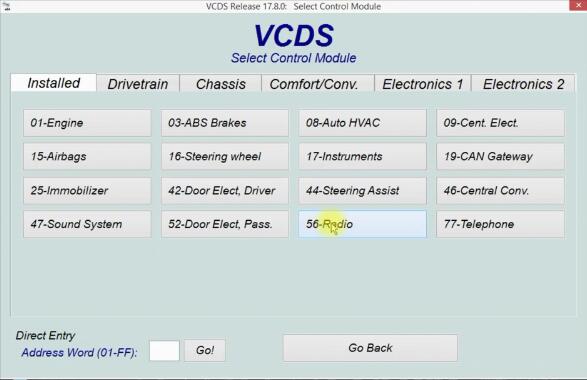
Preparations: VCDS Software Download & Installation Procedures: Connect VCDS interface to Audi A3 obd port,run software and select “Control Module” Select “56-Radio”
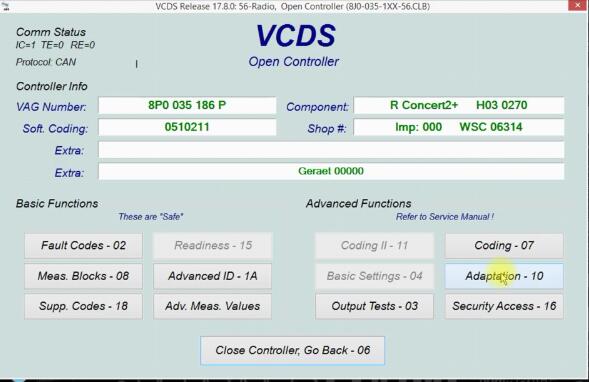
Click “Adaption-10”
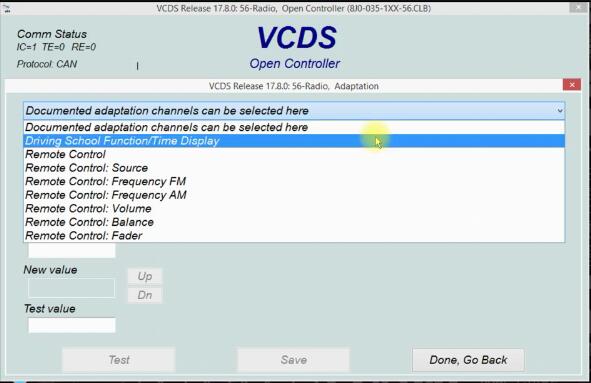
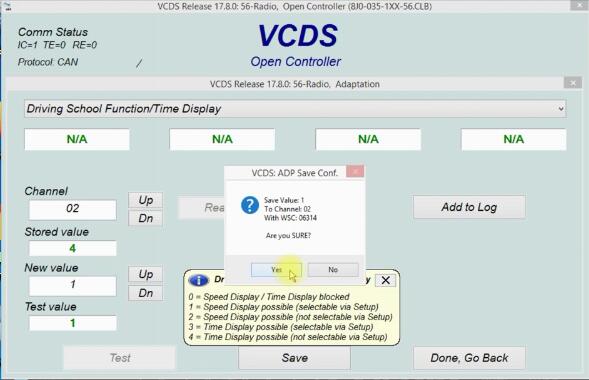
Select “Driving School Function/Time Display”
Here input “1” in the new value filed,and you also can choose 0-4 for you want,and then click “Save”�">”Yes”
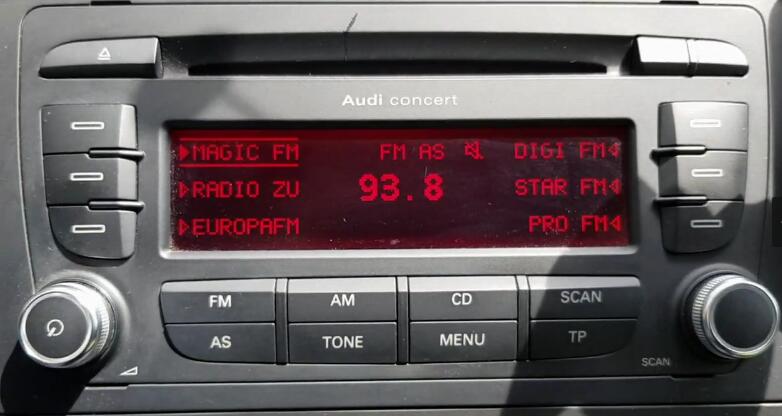
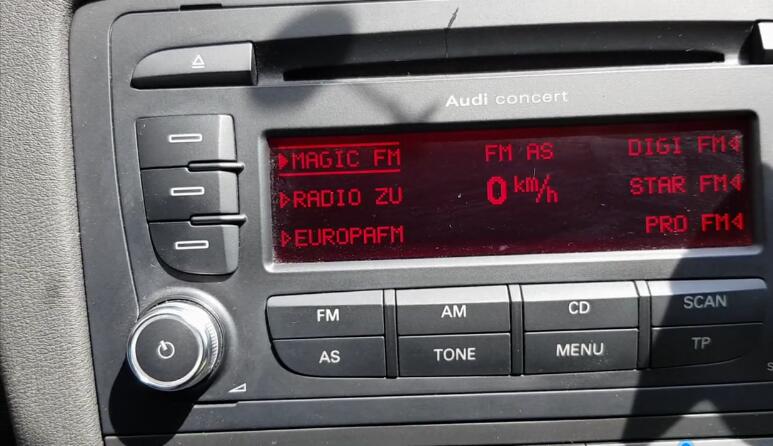
Now exit VCDS software,then setup driving school mode
Done! Audi A3 Drive School Mode Speed Display Coding by VCDS© 2020 saraobdii88 |
Stats
51 Views
Added on September 30, 2020 Last Updated on September 30, 2020 |

 Share This
 Email
Email Facebook
 Twitter
 Read Request
 My Library
 Subscribe
 Flag Writing